
You can find a list of the highest business card welcome offers here. When you use our links, you help support our free content at no cost to you. Thank you.
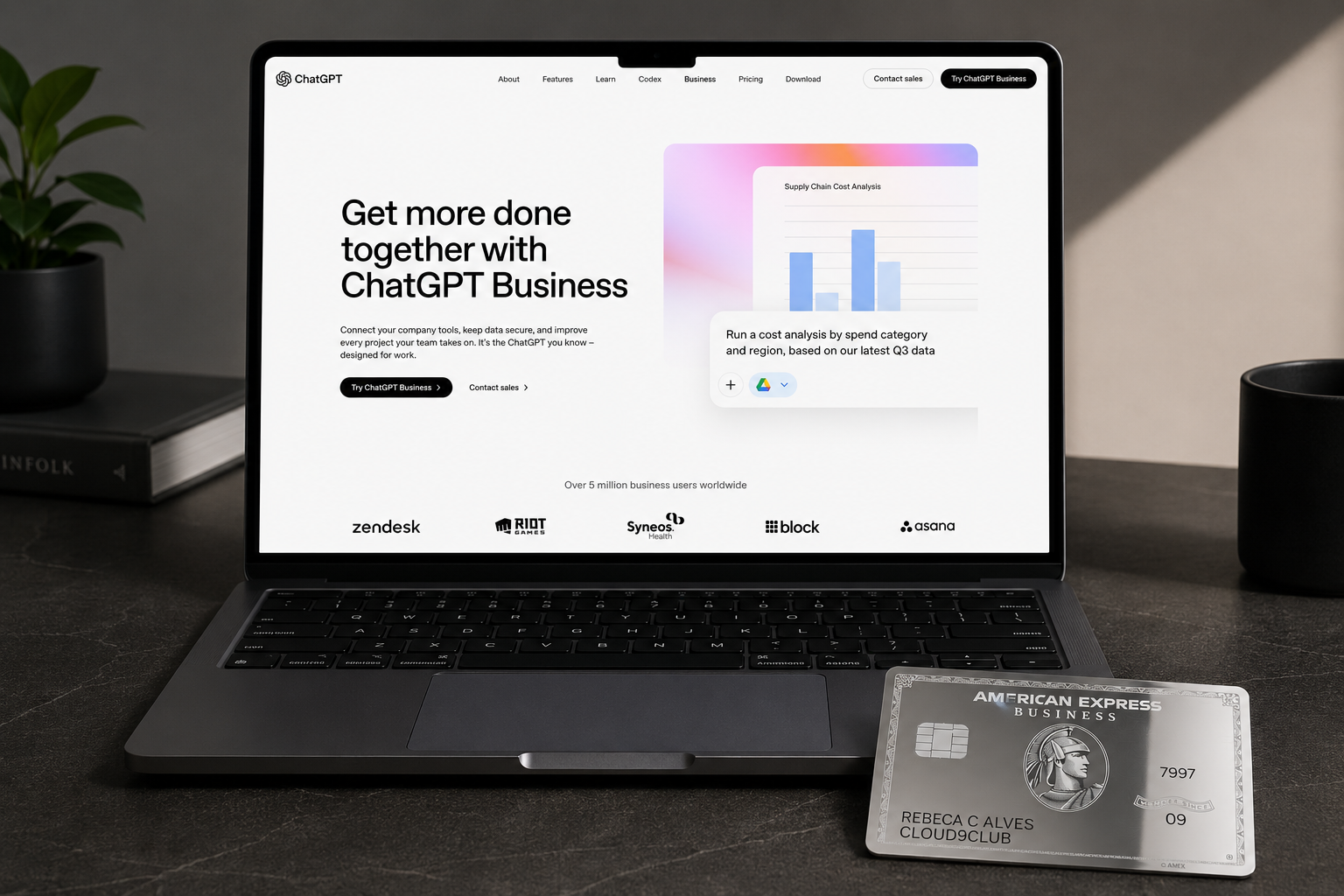
The Amex Business ChatGPT credit is one of the more interesting additions to the card’s refreshed benefit lineup, offering up to $300 per calendar year in statement credits on ChatGPT Business purchases made directly with OpenAI. On paper it sounds like free AI for your business. In practice, there are enough conditions stacked on this benefit that it’s worth slowing down before you assume it applies to whatever ChatGPT subscription you already have.
Here’s the breakdown on what actually qualifies, how to enroll, the math on whether ChatGPT Business is worth it once the credit is layered in, and the situations where this benefit fails to post.
What the $300 ChatGPT Business Credit Actually Covers
The benefit is straightforward in structure and narrow in scope. You get up to $300 in statement credits per calendar year when you charge ChatGPT Business purchases directly to your enrolled Business Platinum or Gold Card. The purchase has to be made with OpenAI as the merchant of record in the U.S. or U.S. territories. Both the Basic Card Member and any Employee Card Members on the enrolled account can trigger the credit, but only one Basic Card Member or Authorized Account Manager can actually enroll the account.
The product that qualifies is specifically ChatGPT Business. Not ChatGPT Plus. Not ChatGPT Team. Not the free tier. Not the API.
ChatGPT Business vs ChatGPT Plus vs ChatGPT Team (Why Only Business Qualifies)
This is the part where most people are going to get tripped up, so it’s worth being precise.
ChatGPT Plus is the $20 per month consumer subscription. It is not eligible.
ChatGPT Team is the small-team plan billed per seat, designed for groups that want shared workspaces and admin controls. It is also not eligible.
ChatGPT Business is OpenAI’s offering for organizations that want enterprise-style features including connections to company tools, expanded admin controls, and the workflow features OpenAI is positioning for actual business use. This is the only product that triggers the Amex statement credit.
If you’re currently subscribed to ChatGPT Plus or Team and you want this credit, you need to migrate to ChatGPT Business. Paying for Plus on your Business Platinum will not generate a statement credit, even though both products live under the ChatGPT umbrella and both are sold by OpenAI.
How to Enroll in the Amex Business ChatGPT Credit
Enrollment is required, which is the part Amex emphasizes in fine print and the part cardholders forget every single year on every single benefit.

To enroll, log in to your American Express account, navigate to the benefits page, find the ChatGPT Business credit, and click enroll. Only the Basic Card Member or an Authorized Account Manager can complete this step. Employee Card Members cannot enroll the account, but once the account is enrolled, their eligible purchases will count toward the credit.
If you skip enrollment and charge ChatGPT Business to your card, the credit will not post. Amex does not retroactively apply credits to purchases made before enrollment, so the enrollment date matters.
The Math: Is ChatGPT Business Worth It With the $300 Credit
This is where you have to be honest about whether the credit is actually saving you money or just nudging you toward a subscription you wouldn’t otherwise buy.
Here’s the catch most cardholders miss: ChatGPT Business requires a minimum of two seats. You cannot buy a single seat. That changes the math significantly from how this benefit reads at first glance.
ChatGPT Business pricing is $20 per user per month billed annually, or $25 per user per month billed monthly. With the two-seat minimum, your floor is $480 per year on annual billing or $600 per year on monthly billing. The $300 credit covers a meaningful chunk of either option, but it does not cover the full subscription for even the smallest possible account.
For the two-seat annual minimum at $480, the $300 credit drops your effective cost to $180 per year, or $90 per seat per year. That’s still cheaper than one seat of ChatGPT Plus at $240 per year, and you’re getting two Business-tier seats for it.
If you would have paid for ChatGPT Business anyway, the credit is pure savings and the math is obvious. You’re getting roughly 62% off a two-seat annual subscription.
If you’re a solo operator currently paying $240 per year for ChatGPT Plus, upgrading to Business to chase this credit is a straight win. You’d pay $180 net per year for two Business seats versus $240 for one Plus seat. That’s $60 back in your pocket, an upgraded product with admin controls and company tool integrations, and a second seat to hand to a partner, contractor, virtual assistant, or family member who helps with the business. Even if the second seat sits unused, you’re still ahead of where you were on Plus.
If you’re not currently paying for any ChatGPT subscription and you wouldn’t use ChatGPT Business in a meaningful way, this credit is not free money. It’s a $180 to $300 net annual commitment for a product you don’t need, on an auto-renewing subscription. Read the auto-renewal language carefully before enrolling.
How to Maximize the Credit Across the Calendar Year
The credit operates on a calendar year basis, which means it resets every January 1 regardless of when you opened the card or when you enrolled.
For solo operators, the cleanest move is to pay annually for ChatGPT Business so the full charge hits in one transaction, triggers the full credit, and you don’t have to think about it for twelve months. Annual billing also gets you the lower per-seat rate.
One timing consideration worth flagging: if you enroll late in the year and pay annually in November or December, the credit applies to that calendar year. If you renew the following November or December, the credit applies to that next calendar year. Annual billing aligned with a single calendar year is the cleanest structure.
Troubleshooting: Common Reasons the Credit Doesn’t Post
A few patterns to watch for, based on how Amex’s statement credit benefits typically behave.
The purchase wasn’t made directly with OpenAI. If you somehow paid through a third party, a reseller, or a wallet that obscures the merchant, the transaction may not register as eligible. Buy directly from OpenAI’s billing page.
The card account wasn’t enrolled at the time of purchase. Enrollment has to come first.
The merchant submitted the transaction late. Amex relies on transaction data from the merchant to identify eligible purchases. If OpenAI submits a transaction days or weeks after the purchase date, it may fall into the next benefit period.
The card was transferred or upgraded between purchase and credit fulfillment. If you moved to a different card product after the purchase, the credit may not follow you.
You returned or canceled the subscription. Credits reverse when eligible purchases are refunded or canceled.
If eight weeks have passed and the credit hasn’t posted, call the number on the back of the card. The Amex benefits team can manually investigate eligible purchases that didn’t trigger the credit automatically.
The Bigger Picture: How This Credit Fits Into the Amex Business Card Lineup
The ChatGPT Business credit launched on both the Amex Business Platinum and the Amex Business Gold, and the value calculation looks pretty different depending on which card you’re carrying.
On the Business Platinum ($895 annual fee), the ChatGPT credit is one piece of a much larger benefits structure. Between the airline incidental credit, Dell credit, Indeed credit, Adobe credit, wireless credit, hotel credit, and now the ChatGPT Business credit, the card stacks enough annual credits to more than offset the fee on paper. The question is always whether you’d actually use the credits, or whether they’d sit unredeemed while the annual fee posts every year. For a full walkthrough of every credit, how to actually use each one, the math on which ones realistically get redeemed, and who the Business Platinum is and isn’t for, see our complete guide to Amex Business Platinum benefits.
On the Business Gold ($375 annual fee), the math is more straightforward — and arguably more compelling. The $300 ChatGPT credit alone covers 80% of the annual fee. Add the $240 Flexible Business Credit (shipments at UPS.com, Grubhub, office supply stores), the $150 Squarespace credit, and up to $155 toward Walmart+, and the card stacks up to $845 in annual statement credits and benefits. For a business that uses even half of those credits, the Business Gold pays for itself with room to spare — and you still get the 4X Membership Rewards on your top two spend categories each month. For a full breakdown of which credits actually deliver and who the card is right for, see our complete guide to Amex Business Gold benefits.
The short version: the ChatGPT credit is a meaningful addition for any business that already runs on AI tools, but how much it moves the needle depends on which card it’s stacking on. On the Business Gold, it might be the credit that tips the entire card into “obvious keep” territory. On the Business Platinum, it’s one credit in a much bigger pile that you have to actively work to redeem. Treat it as a discount on something you’d buy anyway, not as a reason to add a subscription you don’t need.
Frequently Asked Questions
Is the Amex Business ChatGPT credit monthly or annual?
The $300 is an annual cap that operates on a calendar year. You can hit it in one annual payment or spread it across monthly charges. The credit resets every January 1.
Can I use the Amex Business credit on ChatGPT Plus?
No. Only ChatGPT Business qualifies. Plus and Team subscriptions will not trigger the credit.
Does ChatGPT Team count toward the Amex Business credit?
No. Team is a separate product. Only ChatGPT Business is eligible.
Can authorized users trigger the credit?
Yes, once the account is enrolled, both the Basic Card Member and Employee Card Members can make eligible ChatGPT Business purchases that count toward the $300 calendar year cap.
When does the credit reset?
Every January 1. It’s a calendar year benefit, not a card anniversary benefit.
What if I cancel ChatGPT Business?
The statement credit can be reversed if the eligible purchase is refunded, canceled, or modified. If you’ve already received the credit and later cancel for a refund, expect Amex to claw back the credit.
How long does the credit take to post?
Up to eight weeks after the eligible purchase, but in most cases only a few days later. If it hasn’t posted by then, call the number on the back of your card.
Best Offers

-

Chase Sapphire Preferred® Card
Welcome Offer 75,000 bonus points
- Transferable points
- $100 hotel credit
Annual fee $95 Learn More -

Atmos™ Rewards Ascent Visa Signature® credit card
Limited-time online offer – Earn up to 80,000 bonus points + $99 Companion Fare
-

Capital One Venture Rewards Credit Card
Welcome Offer Earn 75,000 miles
- 2x on everything
- 15+ transfer partners
Annual fee $95 Learn More -

Chase Sapphire Reserve®
Welcome Offer 100,000 bonus points
- Lounge access
- $300 travel credit
Annual fee $795 Learn More
Welcome offers are subject to change. Valid as of November 5, 2026. Terms apply. See footer for advertiser disclosure.


Leave a Reply